
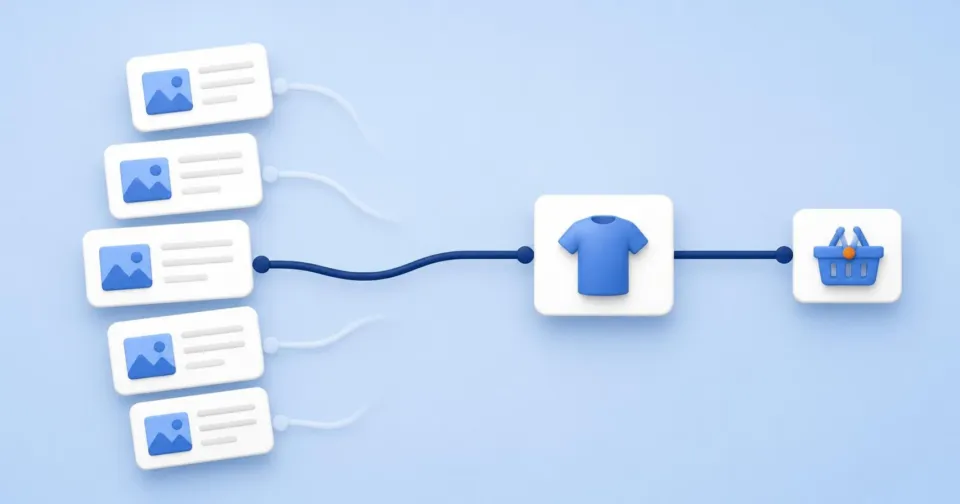
A store’s blog is often judged by traffic: an article with thousands of views is a success, one with a hundred is a failure. For the business, a different question matters more – did the text help the customer decide? Useful commercial content resolves one real uncertainty close to the purchase, backs the answer with evidence and connects it to a product or category without replacing the decision itself with marketing copy. You recognise such content by what readers do next.
Useful content resolves one uncertainty
An online shopper cannot inspect the goods or ask a sales assistant. Whatever the page does not tell them, they must find elsewhere, or give up. In its e-commerce testing, Nielsen Norman Group attributed 20% of failed purchase tasks to incomplete or unclear product information. In moderated tests of large online stores, Baymard Institute observed that insufficient descriptions led users to abandon a product, make wrong assumptions or leave for a competitor that offered the information. This is research on large, mostly foreign retailers, so do not transfer the exact figures to a Czech store. The mechanism, however, holds: an unanswered question costs a sale.
Google describes useful content in similar terms. Its self-assessment questions ask whether a reader leaves knowing enough to achieve their goal, and treat content that sends readers off to search again as a warning sign. It also states plainly that it has no preferred word count.
For a store, this gives a simple test. A useful article completes the sentence “After reading, the customer knows whether…” – whether the size will fit, which of two types to choose, whether the part works with their device. If the sentence cannot be completed, the article probably just describes the topic in general terms.
Where to find the questions your store leaves unanswered
The best topics do not come from brainstorming but from questions customers already ask. Three sources are worth reviewing regularly.
Search queries. Search Console shows which queries your pages appear for, their impressions, clicks and position, and lets you filter by query and by page. Look for queries phrased as questions or comparisons (“which”, “difference”, “or”, “for what”) that get impressions but few clicks. Bear in mind that Google leaves rare queries – those issued by fewer than a few dozen people over two to three months – out of its tables for privacy reasons. The most specific questions are therefore often missing from the report.
Your store’s own search. What people search for on your site reveals what they could not find in the range or the navigation. Google Analytics 4 can record site search, including the search term, through enhanced measurement. It only recognises a few common URL parameters automatically (q, s, search, query, keyword); if your store’s search results use a different one, it has to be added in the settings.
Customer questions. Support enquiries, chat, reviews and reasons for returns are the most direct source. If the same question keeps coming up for one product, the answer probably belongs in its description. If it recurs across a category, it is a candidate for a guide.
Before you write: is there already a better page?
The most common mistake in a content plan is a new article on a question another page already answers – a category, a product page or an older guide. Two similar texts then compete in search and the reader cannot tell which is current. In Search Console, filter by the query and switch to pages: you will see which of your URLs already appears for it.
Decide by where the answer belongs:
| Where the question comes up | Where the answer belongs |
|---|---|
| For one product (dimensions, compatibility, material) | In the product description or specifications |
| When choosing within a category (which type, what size) | In a short buying aid on the category page, or a guide linking to the filtered category |
| When comparing variants or uses (what to choose, how to care for it) | In a standalone guide |
| A page that already appears for the query answers it | Improve that page rather than write a new one |
Store and marketing data in one place
Korzaro connects your store, traffic and marketing data so you decide on the whole picture, not on a single number.
What a decision-helping text needs
For reviews and comparisons, Google recommends first-hand evidence, measurable data, an explanation of what sets an option apart from the alternatives, and honest pros and cons. For product descriptions, NN/g advises writing directly, without marketing fluff, and presenting comparable information in a comparable way so options can be weighed side by side. For a store’s buying guides, that translates into four requirements.
- The answer up front. Readers skim. Say in one sentence when to choose which option, then explain.
- Evidence instead of adjectives. Dimensions, weight, the result of your own testing, photos from real use. “Premium quality” proves nothing.
- Who it does not suit. A text that admits when another option is better is more credible and lowers the risk of returns.
- A clear next step. A link to a specific product or to the category filtered by the parameter just explained, not to the home page.
An illustrative example: a coffee-machine store notices that people keep searching for the difference between a lever espresso machine and a bean-to-cup machine. Instead of a general article about coffee, it writes a guide that says up front who each type suits, compares them in a table by preparation time, maintenance and price, and ends with two links – to bean-to-cup machines and to lever machines in the right price range.
Measure the next step, not the views
Why traffic misleads
High traffic often means an article answers a broad question that many people search for while far from buying. Such a text can collect thousands of views and move no one towards the offer. A narrow buying guide with a hundred readers a month may, by contrast, help almost every one of them.
What to track instead
| Question | Indicator | Where to find it |
|---|---|---|
| Did the reader continue into the range? | Share of article visits followed by a product or category view | Path exploration in GA4, starting from the article page |
| Did they move towards buying? | Share of article visits with an add to basket | Store events in GA4; Shoptet’s integration sends view_item, add_to_cart and purchase, among others |
| Did they find the answer? | Share of readers who search the site again straight after the article | Site search in GA4 |
| Is the right reader arriving? | Queries the article appears for and their click-through rate | Search Console |
Compare ratios rather than absolute numbers, and for low-traffic articles use a longer period so that a difference is not just noise.
Why this is not proof of cause
People who read buying guides are usually already considering a purchase. A higher basket rate after an article may therefore mean that interested shoppers read it, not that it persuaded them. Research on advertising measurement has shown that estimates without a control group often diverge from the results of real experiments, and the same caution applies to content. Do not claim that an article “earned” the revenue of orders that followed it. Two comparisons are useful: the article against other articles of a similar type, and the same article before and after a change.
What to do now
- Rank articles by next step. For your ten most-read articles, find the share of visits that continue to a product or category and to the basket.
- Review the sources of questions. Question-style queries in Search Console, site-search terms and recurring customer questions from the last quarter.
- Decide where each answer belongs. Product description, category or guide – and whether an existing page already answers it.
- Give a weak article with traffic the missing next step. Put a direct answer at the top and a link to a specific offer, then compare the same indicators before and after the change.
- Record what the data cannot show. Note the omitted rare queries and the self-selection of readers next to the result, so no one turns it into revenue credited to the article.